






 2021 Yamaha Wolverine RMAX2 1000 vs. Polaris General 1000 Deluxe: By the Numbers
 2021 Arctic Cat ATV and UTV Lineup
 2021 Yamaha Wolverine RMAX2 1000 and RMAX4 1000 Unveiled
 2021 Polaris Ranger, RZR and General Lineup Unveiled
 2021 Honda Talon 1000X vs. Kawasaki Teryx KRX 1000 vs. Yamaha YXZ1000R: By the Numbers
 2021 Polaris Sportsman 570 Ultimate Trail LE Review
 2021 Can-Am Outlander 650 DPS vs. Suzuki KingQuad 750AXi Power Steering: By the Numbers
 2021 Polaris Sportsman 450 H.O. vs. 2021 Honda Rancher 4x4: By the Numbers
 2021 Polaris Sportsman 570 and 450 H.O. Unveiled: Everything You Need To Know
 10 Best Polaris RZR Accessories
 Into the Wild: 5 Extreme Places You Can Go with ARGO
 Best Can-Am Maverick Doors
 Best UTV Speakers for Off-Road Music
 Snow Problem: Conquer Winter with a Snow Plow from Moose Utility Division
 Best ATV Hunting Accessories
 6 of the Best Covers for ATVs and UTVs
 Basic Wiring Tips for ATVs and UTVs
A smart way to explore new off-road trails
Using Lifetime Trail Maps to explore off-road trails around the U.S. the past couple of months has made a believer out of us. Here is our review.

Riding the off-road has become such a great pastime and getting into the lessor ridden areas of these great United States means you could get lost from time to time. That is unless you are in tune with your own internal GPS or carrying one of the many mapping products offered in the marketplace. I have used several packaged GPS systems that offer a variety of features, but in a recent sequence of rides throughout the month of October and November I found intense detail not discovered on other products.
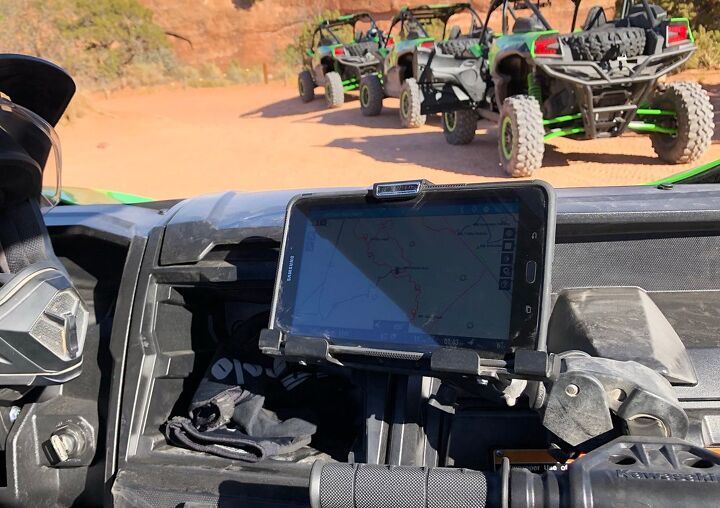
After spotting a local trail map company, Lifetime Trail Maps, on a Hatfield-McCoy trail social page, I had to investigate. Lifetime Trail Maps gives its consumers the option of downloading its app to their own devices or simply purchasing a custom Android based tablet with the product preloaded and ready to travel. After a few calls to talk with Lifetime Trail Maps owner, Chris Hyde, about his product, I felt good about taking a chance to explore it even more. In just a few days my Samsung 9.6-inch Lifetime Trail Map tablet came to me loaded and set to enjoy the southeastern USA.
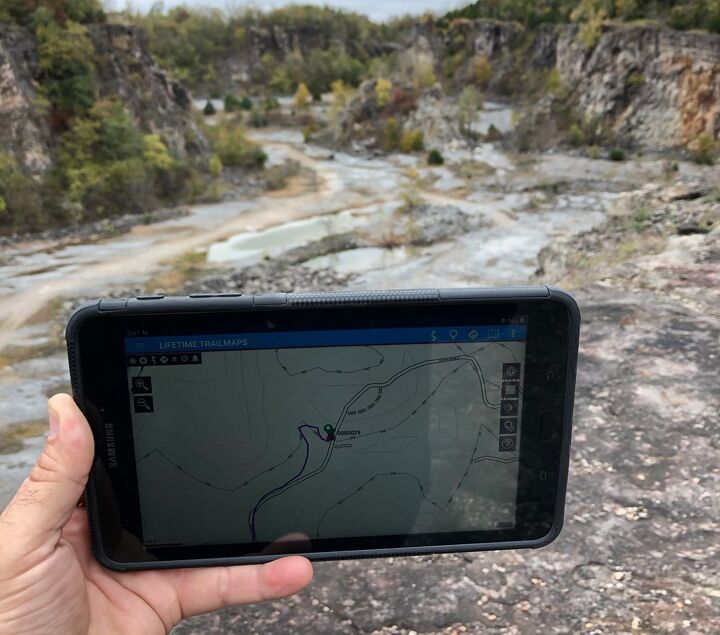
Lifetime Trail Maps Tablet Features
- Live GPS tracking and trip recording
- Solid Android based programming
- No cellular plan required
- Easily updates map base when connected to WiFi
- 100 plus pre-mapped riding areas – Adding more weekly
- Route creating for easy trip planning
- Easy waypoint or landmark navigation
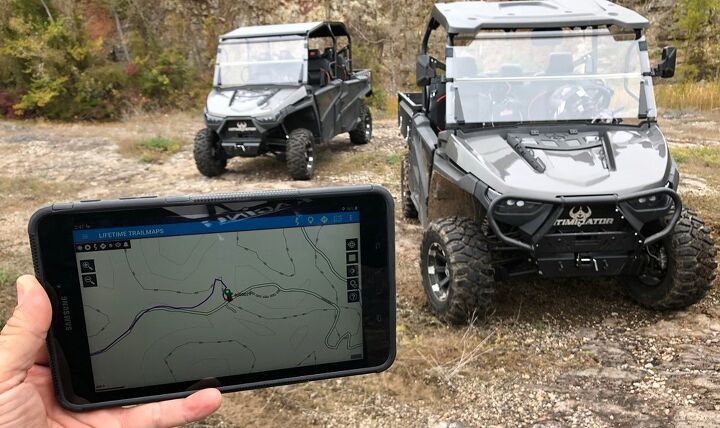
Turning this device on you will notice the Lifetime Trail Maps App on the screen and by simply tapping the App you are off and running. Loading the proper map for your riding location is critical and gives you intense detail of everything in the area. The selectable mapping choices are located in the top left drop down menu. You can track your ride immediately by selecting the small record icon on the screen’s upper right corner and it also pinpoints your starting location as well. I found this to be the easiest way to record my ride right out of the box. A bonus to those who choose to buy the app is that it is fully transferable if your own device or your phone is lost, broken or stolen.
As I had mentioned before, there is so much information to digest with this system. Simply zooming in on the screen reveals the street level detail. The bottom of the screen shows you not only GPS and speed, but elevation and miles traveled. I found some tasks on the mapping device required a bit of a learning curve, but after referring back to the many videos on the Lifetime Trail Maps website, it began to be second nature. To make things easier, the company has taken the time to develop detailed videos to help you get the most out of your mapping with Lifetime Trail Maps devices.
After several rides, including Poison Spider in Moab, Utah, Chief Mountain West in Caliente, Nevada and some brief time in the hills of Batesville, Arkansas, I was starting to really get to know the system fairly well. The battery life was super surprising. I had ridden each day with the device on the entire time and had somewhere close to 30% of the battery left at the end of the day. I think what a person would need to do is to study the incredible depth of this product to get the full use of it. There are many little tricks stuffed into the app that make it so valuable.
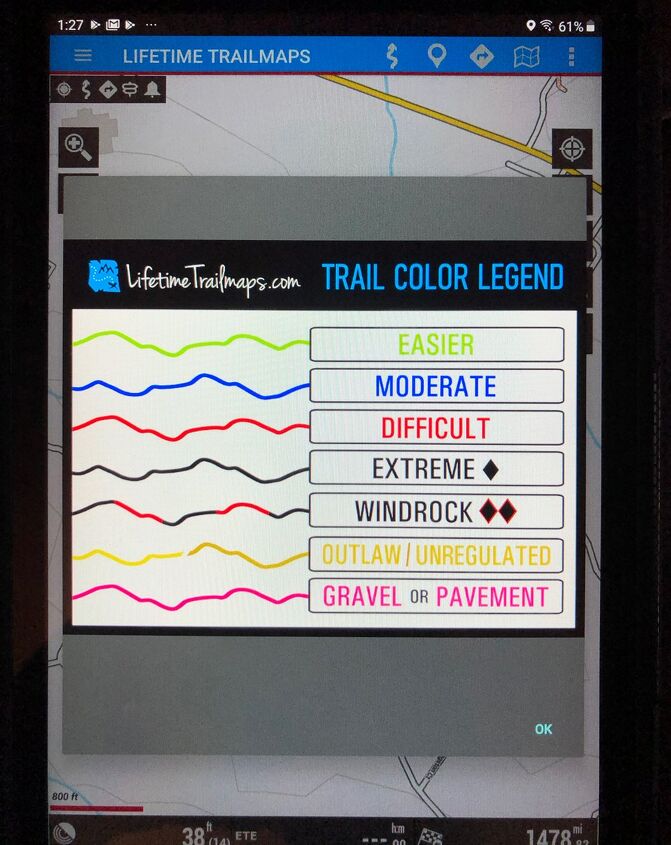
One feature that really stood out to me, besides the incredible map detail, was the colored trail legend. This feature allows you to know just how technical each trail is from easiest to extreme and it even includes outlaw trails as well as gravel or pavement tracks. The device is also pretty rugged and seems to be tough as I “might” have dropped it a time or two during its use.
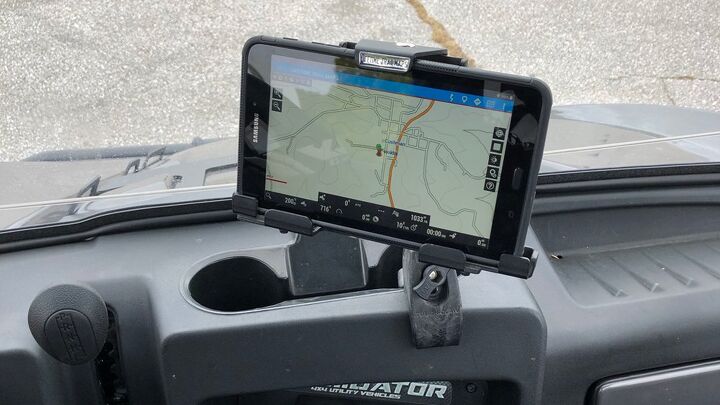
Although my particular tablet is not waterproof, Lifetime Trail Maps does offer waterproof units and in hindsight I might have gone that route. I chose to get the UTV mounting gear as well, so I could use this setup in any machine I ride. This UTV mount package comes with a lockable tablet holder and Ram mount gear so it clamps on quickly for an easy install.
It has been a great experience with the Lifetime Trail Maps Samsung tablet and overall it does have a package of features I still need to explore. If you are detail oriented when trying to find, record and share your trail rides, then this device is absolutely for you.
You can find more information at lifetimetrailmaps.net.
 Juice Boost ECU for Suzuki LT-R450
 PhiPAL Turns Your Helmet into a Smart Helmet
 8 Key items For UTV Hunting in the Bush
 Anti-theft and recovery unit